Keep Context in View
A textbook, question, diagram, or teacher instruction can remain open while the student works on the second screen.
Digital Book
Read on one screen. Write, solve, compare, and create on the other.
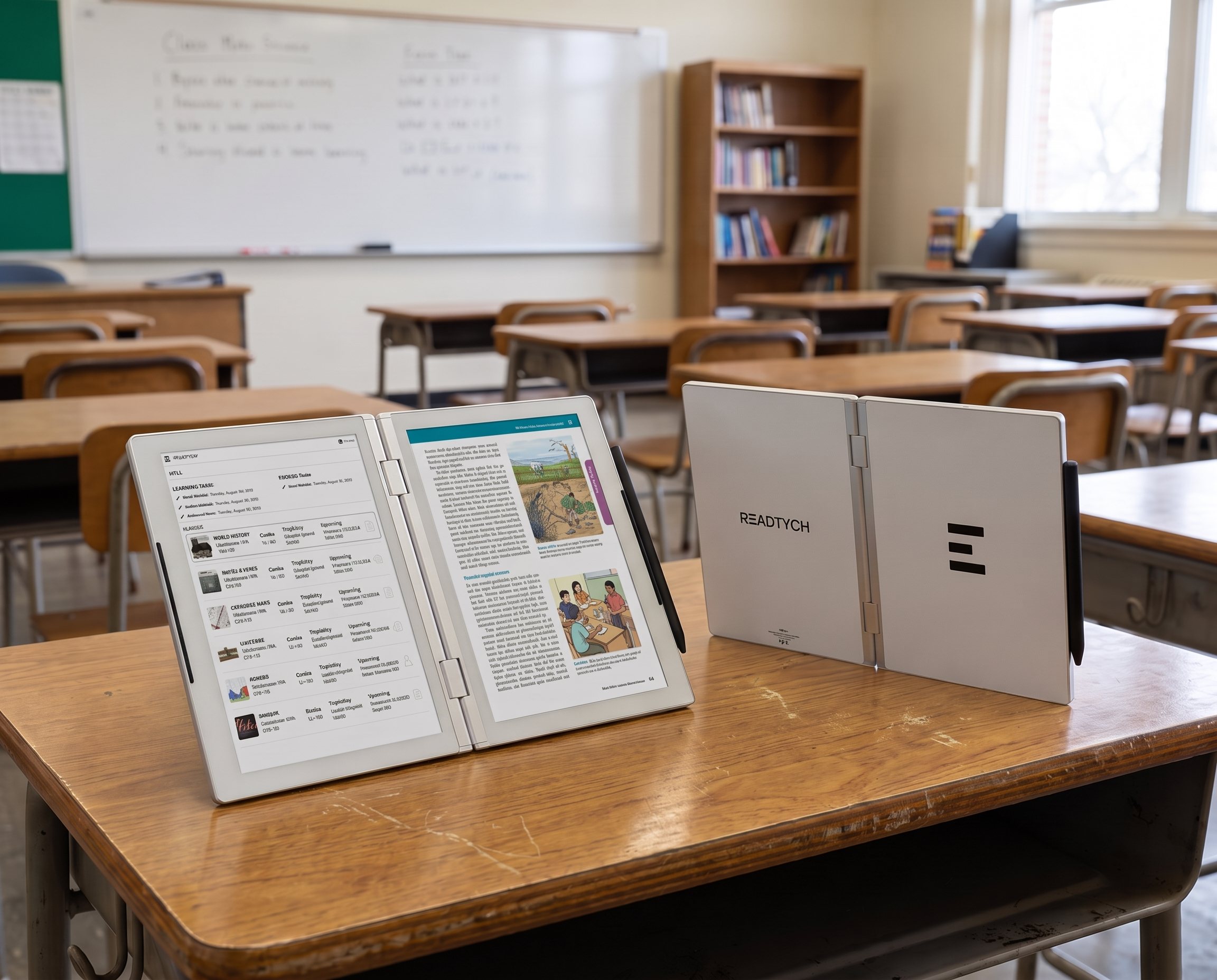
The READTYCH Digital Book is a purpose-built dual-screen tablet that opens like a familiar book. Its two internal E-Ink screens give students room to keep learning materials visible while taking notes, answering questions, completing assignments, or using an approved educational resource.
It brings reading, writing, and classroom work together in one focused device.
Not another consumer tablet brought into the classroom.
A Digital Book built for it.
Learning rarely happens in one window.
A student may need to read a chapter, check an instruction, look at an example, write an answer, and return to their notes. On a conventional tablet, that means repeatedly switching between screens and applications.
READTYCH gives each part of the task its own space.
Students can:
The second screen is not there to make students do more at once. It is there to remove unnecessary interruption.
The material stays open. The student stays with the thought.
Opening a book gives a reader two visible pages. One page supports the other. Students can pause, compare, return, and continue without losing their place.
READTYCH keeps that familiar experience while adding the flexibility of digital learning.
The patented bifold design creates a natural left-and-right-page layout. The two screens can display different activities or work together as part of the same lesson.
This can help students:
A textbook, question, diagram, or teacher instruction can remain open while the student works on the second screen.
Students do not have to close what they are reading before they begin taking notes or developing a response.
Two passages, examples, sources, or pieces of feedback can be viewed side by side.
Fewer unnecessary switches mean more time to read, question, practice, and understand.
The fold is more than a design feature. It is what allows digital learning to feel a little more like learning from a book.
READTYCH uses two internal E-Ink displays designed to provide a paper-like reading and writing experience.
Unlike the illuminated displays used by most consumer tablets, E-Ink creates a paper-like viewing experience suited to reading, writing, and other text-heavy activities. It offers strong readability in bright environments and generally uses less power while displaying a static page.
That makes the Digital Book well suited to the activities students spend much of their day doing:
READTYCH does not try to make a book feel more like a tablet. It gives digital learning some of the qualities that have always made books valuable.
Focus. Familiarity. Space to think.
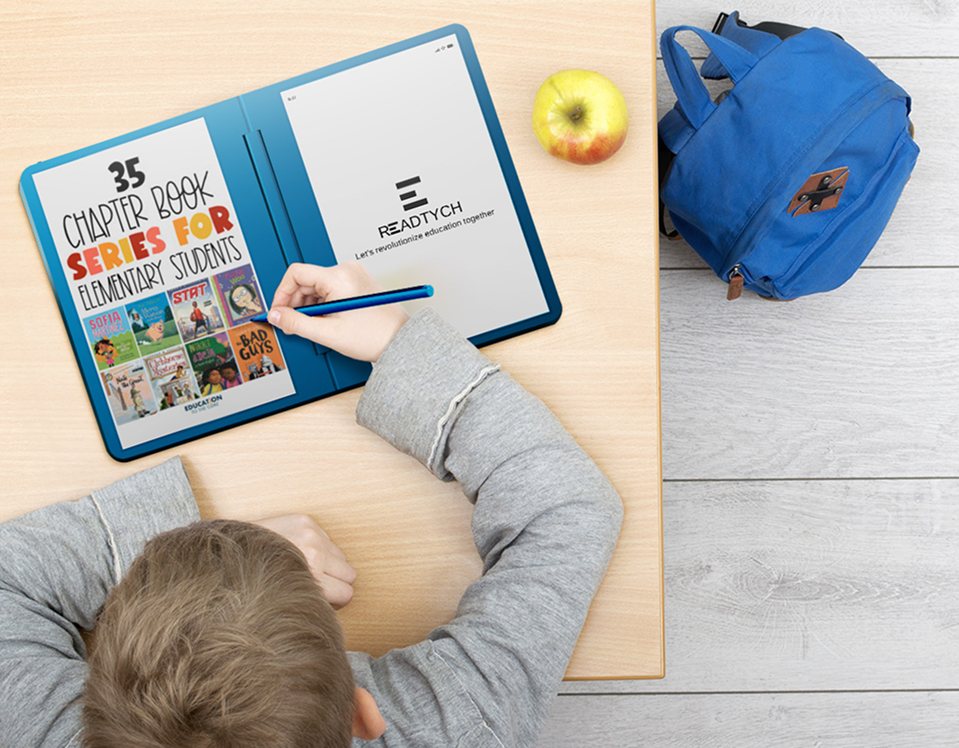
Handwriting is still part of how students explore ideas, solve problems, remember information, and develop their own way of thinking.
Going digital should not mean giving that up.
The READTYCH Digital Book includes Wacom stylus technology for a responsive writing experience. Students can write directly on the screen while gaining the organization of digital notes.
They can use the stylus to:
Notes can be connected to a book, class, or subject instead of becoming scattered across different notebooks and applications.
READTYCH is exploring handwriting recognition that could help turn handwritten work into more organized and searchable digital content.
Students keep the natural act of writing. Their work becomes easier to find and use again.
A student’s backpack can hold textbooks, notebooks, folders, worksheets, schedules, and loose assignments.
Their digital school day can be just as crowded.
READTYCH is being developed to bring those materials together in one organized learning environment.
Students can access assigned books, textbooks, lessons, and course materials from one place.
Handwritten and typed notes can be organized by subject, class, book, or topic.
Learning materials, classroom activities, academic information, and announcements can remain connected to the right course.
Students can receive instructions, complete work, submit responses, and return to teacher feedback without moving between unrelated systems.
Quizzes, written responses, tests, and other learning activities can be completed through the same environment.
Schools can provide access to approved learning tools without opening the device to every consumer application.
It is not only about carrying fewer books.
It is about giving students fewer places to search before they can begin learning.
A consumer tablet is designed to do almost everything.
It can stream entertainment, open social media, run games, browse unrestricted content, and download thousands of applications.
READTYCH has a much clearer purpose.
Help students learn.
Schools can decide which books, applications, and learning resources are available. Students still gain access to useful digital tools, but inside an environment created around education.
That can mean:
Focus does not always come from taking technology away.
Sometimes it comes from giving technology a better reason to be there.
A classroom device has to do more than look good in a product demonstration. It has to work through lessons, reading periods, classroom changes, assignments, and everyday student use.
The current READTYCH product direction includes:
Both internal displays are being developed to support reading, navigation, and stylus-based learning activities.
Students can write notes, annotate books, complete assignments, and answer questions directly on the device.
READTYCH uses a Linux-based foundation with its own interface designed around books, classes, notes, assignments, and educational applications.
The E-Ink system is designed for approximately one to two weeks of battery life under normal school use. Final performance will depend on the production device and how it is used.
Student accounts, books, notes, assignments, and school information are intended to connect with the wider READTYCH education platform.
The current hardware direction includes an aluminum enclosure and a book-like foldable form created for regular educational use.
Wi-Fi forms part of the current direction, with cellular connectivity planned as the product develops.
Final dimensions, weight, battery performance, connectivity, and production specifications will be confirmed before commercial release.
The Digital Book does not work alone. It connects with the READTYCH education platform to support the classroom journey.
A teacher can prepare or select a lesson, reading, assignment, quiz, or activity. Students receive the instructions, materials, and deadline through their READTYCH environment.
Both screens can then support the work.
The student might keep a textbook open on one screen while answering questions on the other. They could review an example while solving a problem, or read instructions while completing a written response.
Once the work is submitted, the teacher can review it, provide feedback, and return it to the student.
READTYCH is also developing AI-assisted tools that may help with repetitive tasks, handwriting recognition, grading suggestions, and learning insights.
The teacher remains responsible for the final academic decision.
AI can assist. The educator decides.
READTYCH is not simply a general-purpose tablet with school applications installed on it.
Its form, screens, writing experience, software, and connected platform are being developed around education from the beginning.
Students can keep learning material visible while working on the second screen.
The screens are designed for reading, writing, and other text-heavy learning activities.
The foldable layout creates a familiar reading position and separates reference material from active work.
Students can continue writing by hand while keeping their work organized digitally.
Schools can control which learning tools and resources are available.
Books, notes, classes, assignments, submissions, and feedback can work together rather than sitting in separate systems.
The difference is not one feature.
It is the fact that every part of READTYCH begins with the same question:
Does this help the student learn?
Students use the Digital Book each day, but the value reaches further.
A more natural way to read, write, complete work, and keep school materials organized.
A clearer way to distribute activities, review student work, provide feedback, and spot where support may be needed.
A focused educational tablet that brings approved content, classroom activities, and learning tools into one environment.
A foundation for consistent device access, educator support, and appropriately authorized insight across schools.
The Digital Book gives the student a place to learn. The platform connects the people responsible for helping that student move forward.
READTYCH is progressing through hardware and software development while preparing for pilot opportunities.
Working with schools, educators, and students will help READTYCH understand how the Digital Book performs where it matters most: inside a real learning environment.
A pilot can help evaluate:
READTYCH welcomes conversations with schools, charter networks, school districts, education departments, universities, researchers, publishers, and educational technology partners.
The future of education should not be designed at a distance from the classroom.
The READTYCH Digital Book is a patented, two-screen foldable E-Ink device being developed for education. Students can read on one screen while writing, completing assignments, comparing information, or using an approved educational resource on the other.
Yes. READTYCH has two internal E-Ink screens that can work independently or together. Unlike a conventional dual-screen tablet, its hardware and software are being developed specifically for students, educators, and schools.
Two screens allow students to keep learning material and active work visible at the same time. They can read while taking notes, view a question while writing an answer, or compare resources without repeatedly switching applications.
Yes. The current product direction includes Wacom stylus technology for handwritten notes, annotations, assignments, diagrams, and written responses.
READTYCH combines two E-Ink screens, a book-like foldable form, stylus writing, school-approved applications, and a connected education platform. It is being built around learning rather than general consumer use.
READTYCH is currently progressing through product development and preparing for pilot opportunities. Schools, districts, education agencies, and strategic partners can contact the team to discuss participation.
The next page starts here
Students should not have to choose between the focus of a book and the possibilities of digital learning.
READTYCH brings them together.
Read on one screen. Write on the other. Keep books, notes, assignments, and feedback connected throughout the school day.
It opens like a book.
What it opens for learning is much bigger.