Read and Write
Keep a textbook open on one screen while taking handwritten notes on the second.
Digital Book
A teacher shares a lesson.
A student opens it, reads, writes, completes the work, and receives feedback.
It sounds simple. Yet most digital learning platforms divide that journey across different devices, portals, applications, notebooks, and inboxes.
READTYCH is being built to keep it connected.
The Digital Book gives students two E-Ink screens for reading and working. The education platform connects books, notes, classes, assignments, feedback, and learning insights behind the experience.
Here is how a school day can work with READTYCH.

Every school has its own structure.
Districts. Schools. Grade levels. Courses. Classrooms. Teachers. Students.
READTYCH is being designed to reflect that structure rather than asking institutions to work around the software.
Authorized administrators can create or connect the appropriate school environment, assign user roles, organize courses, and determine which books, applications, and learning resources are available.
Teachers see their classes.
Students see their courses.
School leaders see information relevant to their responsibilities.
No one needs access to everything.
Each person gets the tools and information needed for their role.
The journey begins with the educator.
A teacher can prepare or select:
The teacher can connect the activity to a course, add instructions, set a deadline, and include the materials students will need.
A science assignment might include a textbook chapter, a diagram, a short video, and written questions.
A literature activity could connect a passage with teacher notes and a response prompt.
A mathematics lesson might pair an example with problems students need to solve.
The material does not arrive as an isolated task.
It arrives with context.
When students open READTYCH, they can find their classes, learning materials, assignments, deadlines, announcements, and feedback within one organized environment.
They do not have to remember which portal holds the homework, where the textbook was downloaded, or which application contains the teacher’s comments.
The student can see:
The school day becomes easier to follow because the pieces are no longer scattered.
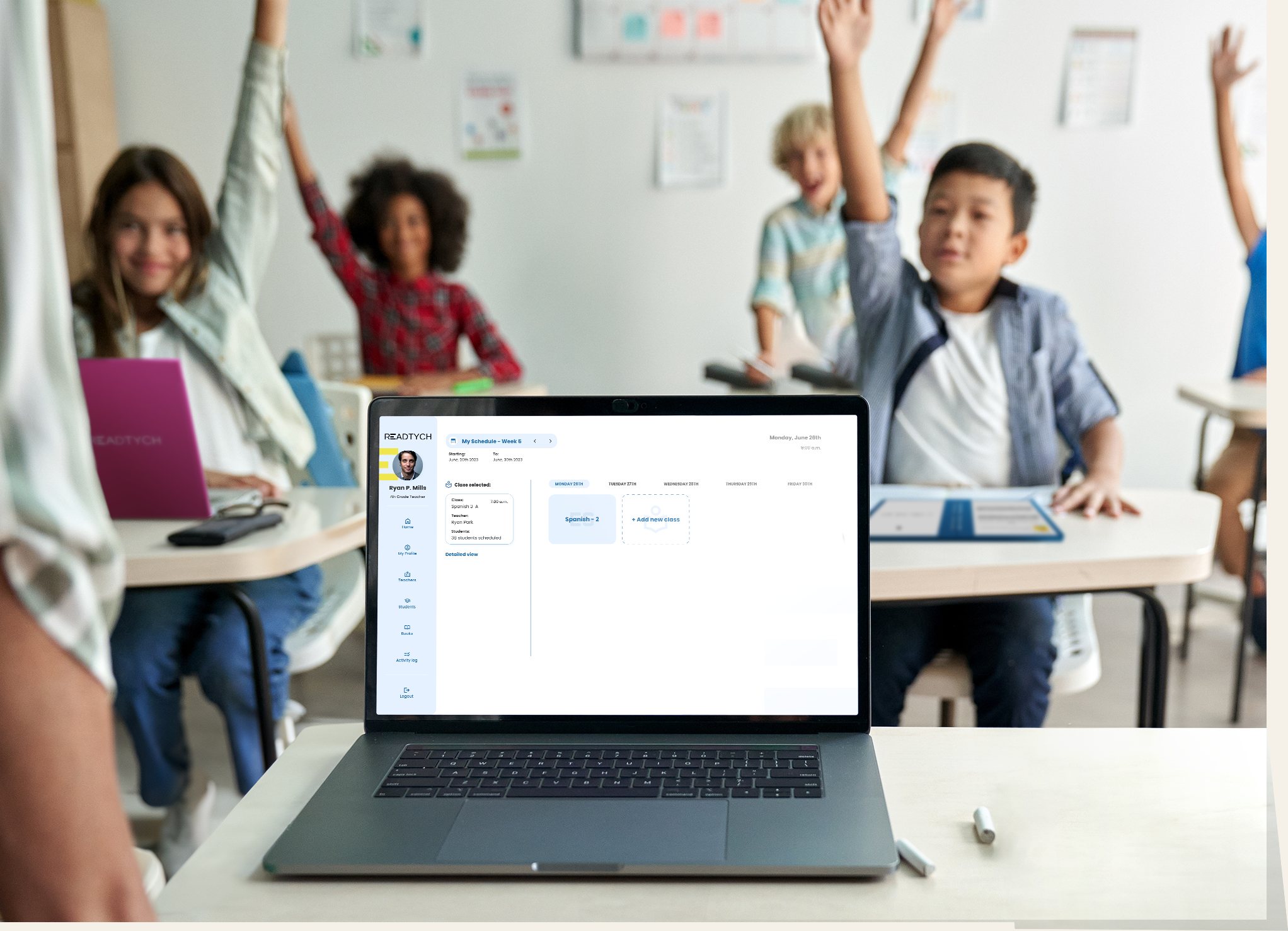
This is where the READTYCH experience becomes different.
The student opens the Digital Book and sees two internal E-Ink screens.
One screen can hold the learning material.
The other can hold the student’s work.
Keep a textbook open on one screen while taking handwritten notes on the second.
View a lesson, question, or teacher instruction while completing the response beside it.
Place two passages, sources, diagrams, or examples side by side.
Keep notes visible while solving problems or preparing for an assessment.
Use an approved educational application while the related course material remains open.
There is less closing, searching, reopening, and trying to remember what was on the previous screen.
The student can stay with the work.
Not every student approaches a lesson in the same way.
One may begin by reading the full chapter. Another may write questions while reading. Someone else may need to compare examples before attempting the assignment.
READTYCH gives students room to work through the material while keeping the experience organized.
They can:
Notes can be connected to a class, book, lesson, or subject, making them easier to find later.
The platform supports the learning process without forcing every learner through the exact same path.
When the student completes the activity, it can be submitted through the same connected environment.
The teacher receives the response with the context needed to review it.
Depending on the activity, that may include:
The work does not arrive as a disconnected file in an unrelated inbox.
It returns to the place where the learning began.
Some questions can be scored automatically.
Written and handwritten responses require more care.
READTYCH is developing AI-assisted capabilities that may help educators review student work, recognize handwriting, identify common errors, and prepare possible grades or feedback.
The process is intended to work like this:
The technology can help reduce repetitive work.
It does not replace the educator’s understanding of the student, the assignment, or the classroom.
AI assists.
Teachers decide.
Feedback matters most when students can understand it, connect it to their work, and use it the next time they try.
Through READTYCH, the student can receive:
The student can review the feedback beside the original response or related learning material.
That creates a clearer connection between:
What I did.
What the teacher noticed.
What I should do next.
Feedback stops being the end of the assignment.
It becomes part of the next learning decision.
A single assignment provides limited information.
A pattern across several assignments may reveal much more.
As students complete lessons, written work, quizzes, and assessments, READTYCH can begin building a longer learning history.
With appropriate permissions, the platform may help authorized users recognize:
The goal is not to watch every move a student makes.
It is to make useful learning patterns easier to notice.
For the student, READTYCH should feel straightforward.
Open the Digital Book.
See today’s classes and work.
Choose the lesson or assignment.
Keep the material open on one screen.
Use the other screen to write, solve, compare, or respond.
Submit the work.
Receive feedback.
Return tomorrow without starting the search all over again.
Students do not need to think about the databases, permissions, software connections, or information structures working behind the experience.
They need to know where to begin.
For the teacher, READTYCH can bring everyday classroom tasks into a clearer flow.
Prepare the activity.
Connect the right materials.
Share it with the class.
See who has started or submitted the work.
Review responses.
Use AI-assisted suggestions where helpful.
Provide feedback.
Recognize who understands the lesson and who may need more support.
The platform is not being built to tell teachers how to teach.
It is being built to help them spend less time chasing systems and more time responding to students.
For school leaders, connected learning can provide a clearer view of how the educational environment is working.
Authorized users may be able to understand:
Instead of waiting for several disconnected reports, school leaders can begin to see relevant information within one structured environment.
Districts need more than a collection of devices.
They need a way to manage access, support schools, understand adoption, and make responsible decisions about resources.
READTYCH is being designed to support:
The Digital Book is what students hold.
The platform is what helps the larger system stay connected.
Classes, assignments, deadlines, announcements, and new feedback appear in one organized environment.
A textbook chapter remains open on one screen while the student writes notes on the other.
The example stays visible on the left. The student works through the problem on the right.
A changed deadline or class announcement reaches the relevant students through the platform.
The student completes and sends the work without moving to another system.
Objective answers may be scored automatically. Written responses may receive AI-assisted suggestions for teacher review.
The student can see the teacher’s comments beside the original work and understand what to improve.
Repeated strengths, difficulties, incomplete work, and progress become easier for authorized educators to recognize.
One school day creates many small pieces of information.
READTYCH helps turn them into one understandable learning journey.
The READTYCH experience has two connected parts.
The two-screen E-Ink device gives students a focused place to read, write, compare, complete work, and use approved educational tools.
The software connects books, courses, notes, assignments, assessments, communication, feedback, applications, and learning insights.
The device supports what the student is doing now.
The platform connects that activity with what happened before and what may need to happen next.
Neither part tells the complete story alone.
Together, they create the READTYCH learning experience.
Schools need to decide what students can access and who can see educational information.
READTYCH is being designed around role-based access and school-approved content.
That means:
Final permissions, privacy controls, integrations, and data-governance requirements will be developed and confirmed with participating institutions.
READTYCH is progressing through hardware and software development while preparing for pilot opportunities.
A pilot gives schools and the READTYCH team a chance to test the complete classroom journey.
That includes:
READTYCH is not asking schools to imagine the technology in theory.
A pilot allows both sides to understand how it works in practice.
The Digital Book opens to reveal two internal E-Ink screens. Students can keep learning material visible on one screen while using the second for notes, assignments, comparisons, or approved educational applications.
Teachers can prepare or select an activity, connect it to a course, add instructions and resources, set a deadline, and distribute it to the relevant students through the platform.
Yes. The current product direction includes Wacom stylus technology for handwritten notes, annotations, diagrams, assignments, and written responses.
READTYCH is developing AI-assisted capabilities for handwriting recognition, grading suggestions, feedback support, learning patterns, and personalized recommendations. Teachers remain responsible for academic decisions.
READTYCH is intended to provide a controlled educational environment where schools determine which books, applications, and learning resources are available.
READTYCH is preparing for pilot-focused opportunities. Schools, districts, education agencies, and strategic partners can contact the team to discuss goals, participation, and implementation requirements.
The next page starts here
A lesson begins with something a teacher wants a student to understand.
Everything that follows should help that understanding grow.
The book.
The notes.
The assignment.
The response.
The feedback.
The next attempt.
READTYCH is being built to keep that journey connected from one learning moment to the next.