Read and Take Notes
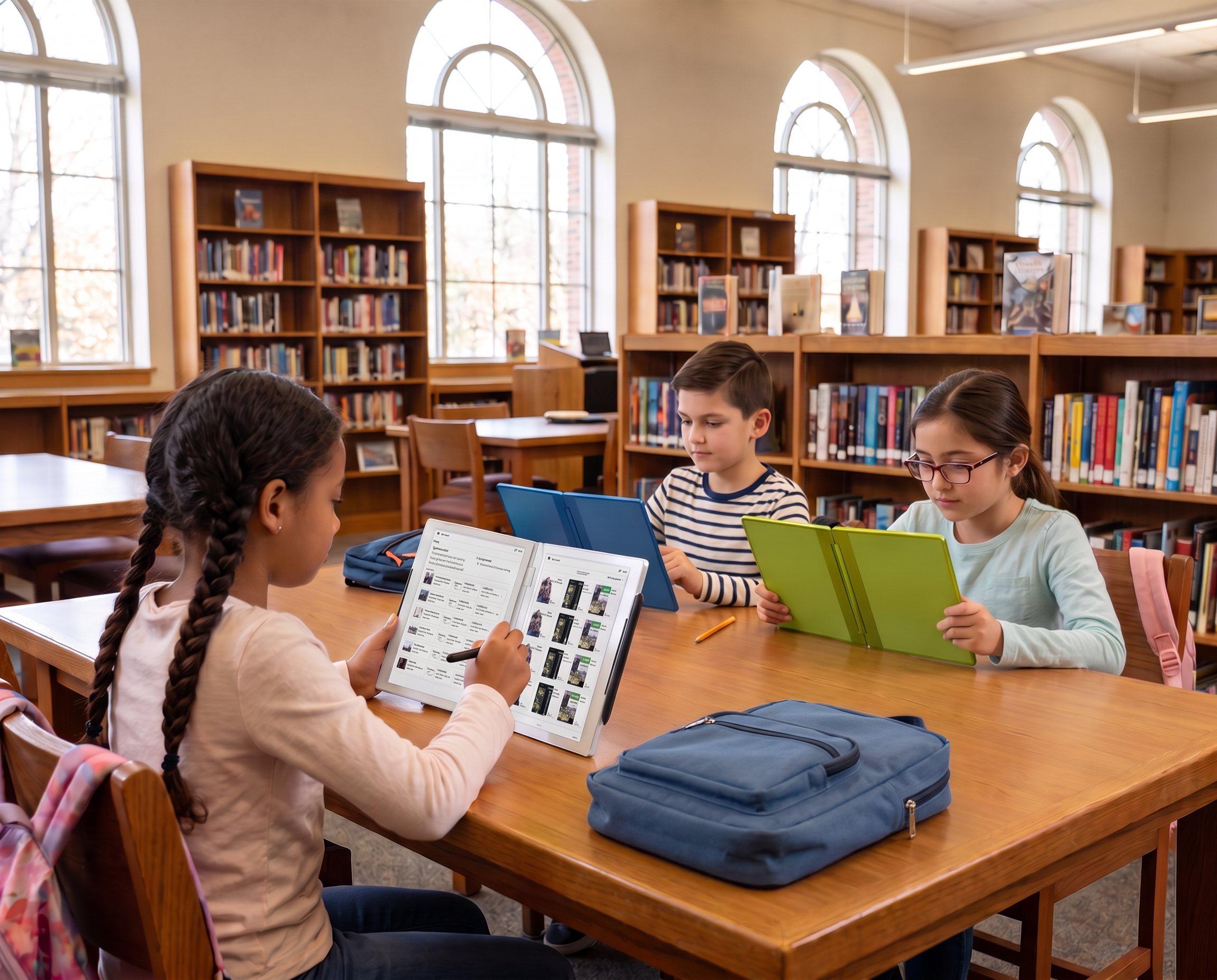
Keep a book or lesson on one screen while writing notes on the other.
Solutions
You are reading a chapter.
Then you need your notes.
Then the assignment.
Then the instructions.
Then the example you opened five minutes ago, which you can no longer find.
Learning should not feel like a search through tabs.
READTYCH gives you two E-Ink screens inside one Digital Book. Keep what you are learning on one side. Use the other to write, solve, compare, create, or explore.
Your books, notes, classes, assignments, feedback, and approved learning tools stay connected.
Less searching.
More space for the idea in front of you.

Most devices make you choose what stays visible.
The book or the notebook.
The question or your answer.
The instructions or the assignment.
The example or the problem you are trying to solve.
READTYCH gives both a place to stay open.
Keep a book or lesson on one screen while writing notes on the other.
See the question, prompt, or instructions while developing your answer beside it.
Place two passages, diagrams, sources, or examples next to each other.
Keep your notes visible while solving problems or preparing for a test.
Use an approved educational application while your course material remains in view.
You do not have to keep closing one part of the lesson to find another.
The work stays open.
So does your thinking.
A backpack can get heavy.
So can a digital school day.
Textbooks in one place. Notes in another. Assignments in a portal. Deadlines in a calendar. Teacher feedback inside an email you forgot to open.
READTYCH is being designed to bring those pieces together.
Find assigned textbooks, books, lessons, and course materials in one organized space.
Create notes for a book, subject, class, or idea. Write them by hand or type them.
See the course materials, activities, announcements, and academic information for the right class.
Find instructions, deadlines, supporting materials, submissions, grades, and feedback without jumping between unrelated systems.
Open school-approved tools inside an environment created for education.
See how your work is developing, where you are doing well, and which areas may need more attention.
One Digital Book cannot make the school day shorter.
It can make the school day easier to navigate.
Handwriting is personal.
It is how you underline the point that matters, circle the part you do not understand, sketch an idea, work through a calculation, or write something before it disappears from your mind.
Going digital should not take that away.
READTYCH includes Wacom stylus technology so you can write directly on the E-Ink screens.
You can:
READTYCH is also developing handwriting recognition that may help turn your written notes into organized, searchable digital content.
Your handwriting stays yours.
It just becomes much harder to lose.
You know the note exists.
You remember writing it.
You might even remember the color of the notebook.
Finding it is another story.
With READTYCH, notes can be connected to the book, lesson, class, or subject they belong to.
That means you can return to:
Instead of beginning every revision session with a search, you can begin with the material you need.
You already spend enough time looking at bright screens.
READTYCH uses E-Ink displays designed to create a paper-like reading and writing experience.
Text remains clear and readable. The screens produce lower glare and reduced blue-light exposure compared with conventional bright displays. E-Ink also uses less power, supporting longer battery life.
The experience feels calmer because the device has a different purpose.
It is not asking you to watch another video, answer another message, or open whatever is trending.
It is giving you a page.
Then another page beside it.
And enough room to do something with what you read.
Most tablets are designed to keep you scrolling.
READTYCH is designed to help you stop.
Schools can choose which books, resources, and educational applications are available. Social media, consumer games, entertainment platforms, and unrelated applications do not need to compete with the lesson.
That does not make READTYCH less digital.
It makes the technology more intentional.
You still get access to useful learning tools.
You just do not have to fight the rest of the internet every time you try to use them.
Focus should not feel like punishment.
It should feel like finally having enough quiet to think.
Deadlines have a habit of appearing at the worst possible time.
Sometimes the assignment was written on the board.
Sometimes it was announced during class.
Sometimes it is buried inside a portal you have not opened all week.
READTYCH is being developed to keep assignments and deadlines connected to your classes.
You can see:
The goal is not to fill your screen with more reminders.
It is to help you understand what comes next.
A number tells you how you performed.
It does not always tell you what to do next.
Through READTYCH, feedback can remain connected to the work it explains.
You may be able to place the original response on one screen and the teacher’s comments on the other.
You can see:
What you wrote.
What the teacher noticed.
What needs to change.
What you did well.
Where you should try again.
Feedback becomes more than something you check once and forget.
It becomes part of how you approach the next assignment.
One test should not define what you understand.
Neither should one difficult week.
Learning changes over time. You may be strong in one type of activity and need more support in another. A subject that once felt impossible may begin to make sense after the right explanation.
READTYCH is being designed to help you see the bigger picture of your learning.
Depending on your school’s settings, you may be able to understand:
The goal is not to reduce you to a score, chart, or collection of data.
It is to help make sure one score never becomes your entire story.
Artificial intelligence can sort information, recognize patterns, and help with repetitive tasks.
But it should not decide who you are as a student.
READTYCH is developing AI-assisted capabilities that may help with:
Your teacher remains responsible for grades and academic decisions.
An AI suggestion is not the final answer.
The educator reviews it, makes changes as needed, and decides what reaches you.
AI assists.
Teachers decide.
Students keep learning.
Some students begin with the textbook.
Some begin by writing questions.
Some need to see an example.
Some understand better when they draw the idea.
Some work quietly through each step.
Others need to try, make a mistake, and try again.
READTYCH does not assume that every student learns in the same way.
The two-screen experience gives you room to:
The technology does not do the learning for you.
It gives you a better place to do it.
Open one device and see your classes, assignments, announcements, and new feedback.
Read a chapter on one screen while writing notes on the other.
Keep the example visible while working through the problem beside it.
Compare a diagram with your written explanation.
Check what is due without opening several portals.
Complete an assignment and submit it through the same environment.
Review teacher feedback beside the original work. Return to the notes you need without searching through multiple notebooks.
One Digital Book.
Many different ways to use it.
A school day that feels less scattered from beginning to end.
Students are often told to think critically, ask better questions, connect information, and develop original ideas.
Then they are given a small screen and asked to keep closing the material they need to close.
READTYCH gives ideas more room.
One screen can hold what already exists.
The other can hold what you do with it.
A question.
A solution.
A sketch.
A response.
A new connection.
A thought that did not exist until you opened the Digital Book.
That is where learning becomes yours.
READTYCH is progressing through hardware and software development while preparing for pilot opportunities.
Students participating in future pilots may help the team understand:
The future of education should not be built without the people who will use it every day.
That includes you.
Students can read textbooks, take handwritten or typed notes, access classes, complete assignments, use approved educational applications, receive teacher feedback, and follow their academic progress.
The two screens let students keep learning material visible while taking notes, answering questions, comparing information, or completing an assignment on the second screen.
Yes. The current product direction includes a responsive Wacom stylus for taking notes, making annotations, creating diagrams, performing calculations, completing assignments, and writing responses.
READTYCH is being developed to bring digital textbooks, notebooks, assignments, and learning materials into one device. The exact content available will depend on the school, publisher agreements, and platform setup.
READTYCH is intended to provide a controlled educational environment. Schools can determine which books, applications, and resources students can access.
READTYCH is progressing through hardware and software development while preparing for pilot opportunities. Students and schools can follow the company’s progress or contact the team about potential participation.
The next page starts here
A book gives you information.
A notebook gives you a place to respond.
READTYCH brings both sides of learning together.
Read what came before.
Write what comes next.
Keep your classes, notes, assignments, and feedback connected along the way.
The future of learning will not be built around another screen.
It will open like a book.